

Valet parking software that works at the curb.
Valet parking software for operators, hotels, restaurants and hospitals. AI license plate recognition reads the plate at check-in. Send printed or paperless tickets, manage car requests, and collect payments and tips from one handheld.
Book a demoAI-first valet software for check-in, retrieval and payment
ParkingChief is built AI-first. On the handheld, AI license plate recognition reads the plate the moment the attendant points the camera at the car, so check-in takes seconds instead of typing. Around it, one app and one operator portal replace paper tickets, radios and cash-box math. Attendants hand the guest a printed stub or an SMS ticket, track each key hook, run retrievals from a shared queue, and take cards, cash and tips at the curb. ParkingChief supplies the rugged Android valet handheld too, so the device and the software come from one company. Operators see every ticket, shift and location in one valet report.
How ParkingChief valet works at the curb
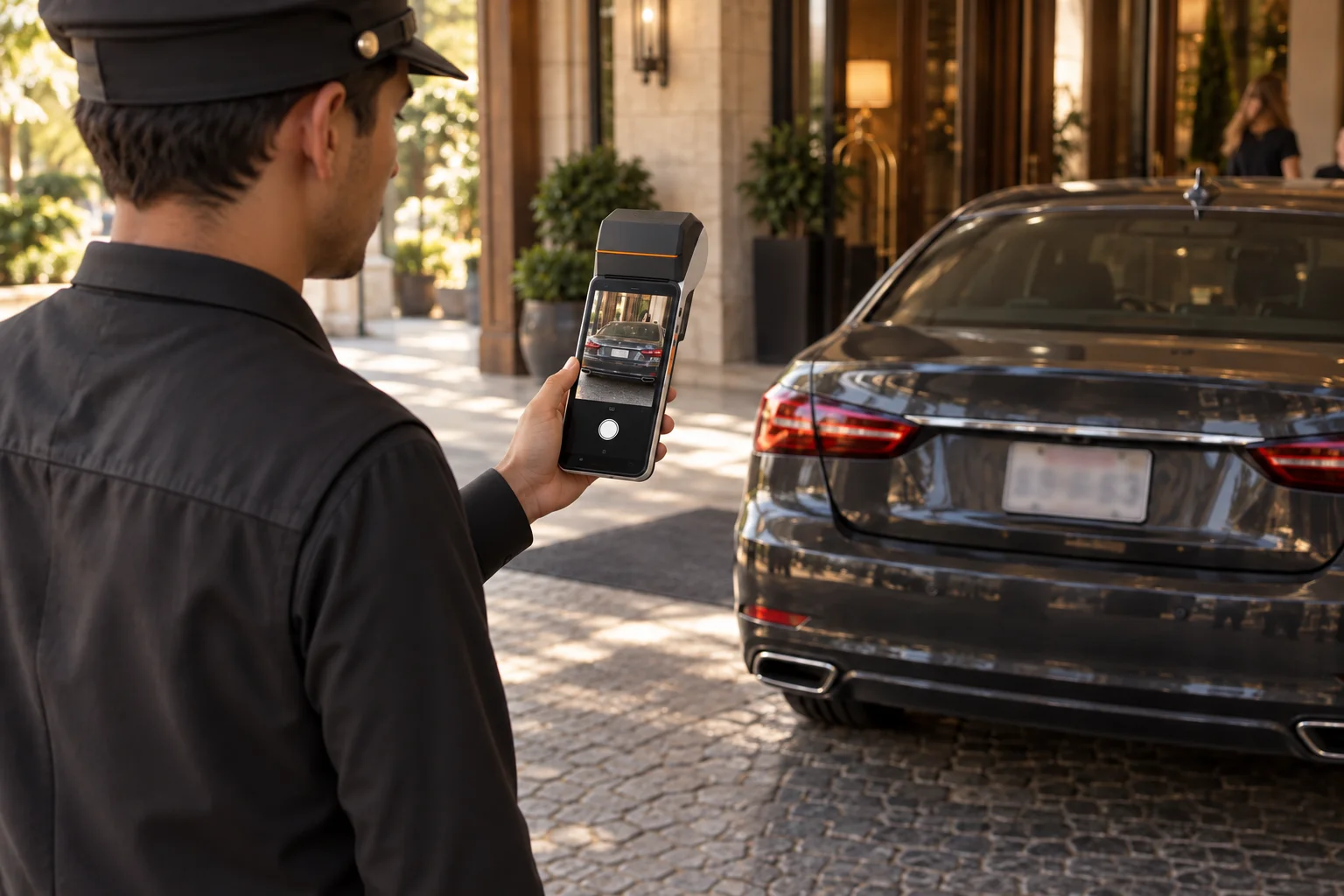
AI license plate recognition at check‑in
Point the handheld at the car. On-device AI license plate recognition reads the plate, the attendant takes a condition photo, and the ticket is created. Print the stub on the spot or text the e-ticket, so the line at the curb keeps moving.
- On-device AI license plate recognition that works offline
- Up to 10 condition photos stored on the ticket
- Printed stubs or an SMS ticket with a QR code
- Quick Check-In and required spot or photo, set per location
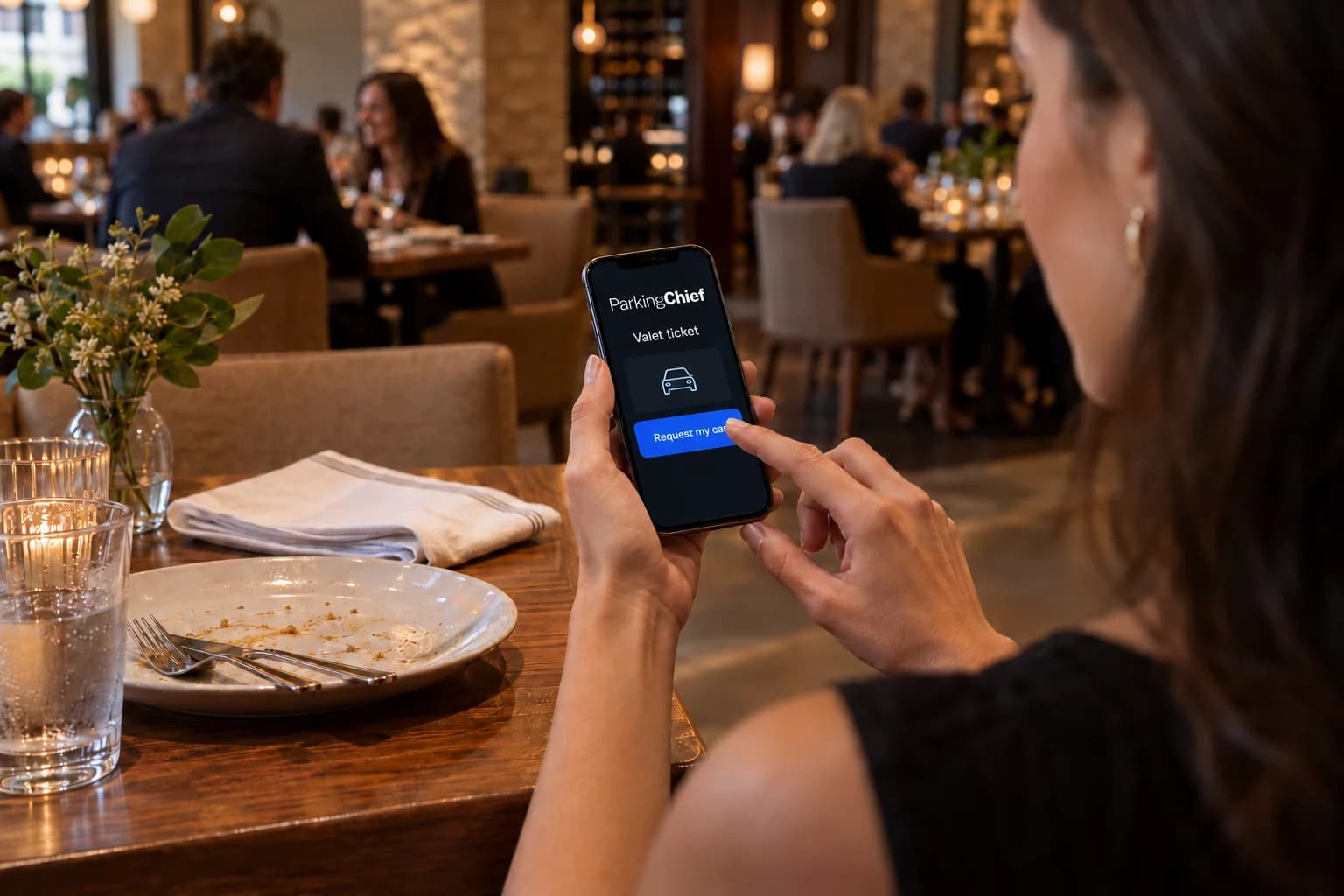
Request my car before leaving the venue
No front desk call and no waiting at the curb. The guest taps Request my car on the e-ticket, and every handheld on the shift sees it in one queue.
- One retrieval queue shared by every device on the shift
- Sound and vibration alert for each new request
- Automated ETA and car-ready texts to the guest
- Request my car can be turned on or off per location
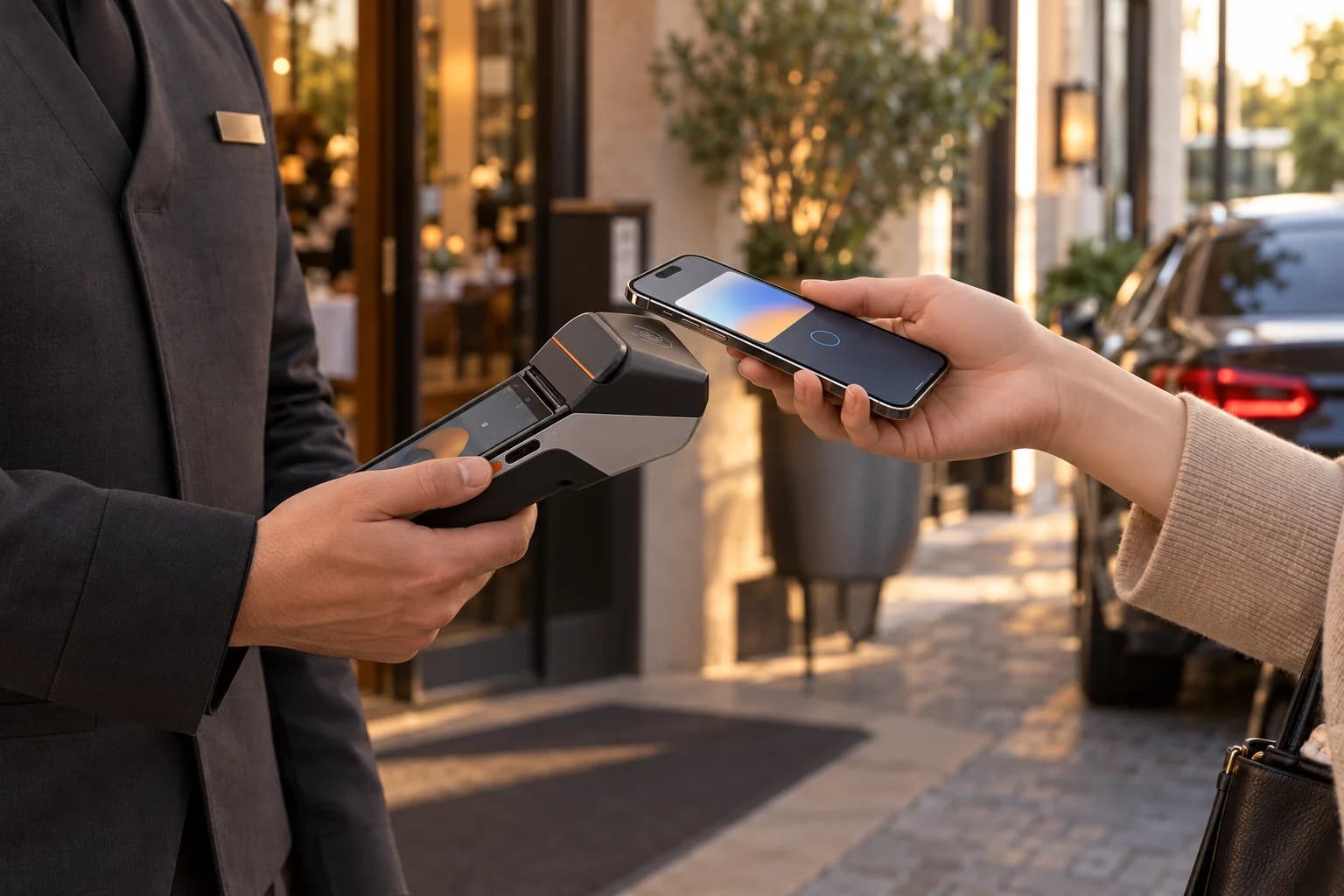
Tap to Pay and tips at the curb
The handheld that wrote the ticket also takes the payment. Cards, phones and cash land in the same shift totals, and tips go to the team.
- Contactless Tap to Pay for cards and phones, plus cash
- Prepay at check-in or pay at pickup
- Card tips with presets
- Merchant validations applied at checkout
Shift time clock and payroll export
Attendants clock in, take breaks and clock out with a PIN on the same handheld they use for tickets. Operators review hours by employee in the portal and export the entries for payroll.
- PIN punches for clock in, breaks and clock out, on the handheld
- Optional selfie at each punch, reviewed as a thumbnail
- Optional auto-close for forgotten clock-outs
- Timesheet report with CSV export for payroll
Pilot program, no long-term commitment
Run ParkingChief at one of your locations and see it working before you decide on the rest.
Parkers get their own account
Parkers sign in with the mobile number on their ticket to see linked Valet and Scan-to-Pay visits in one account.
- Valet and Scan-to-Pay history together
- Parking charges, tips and total paid shown separately
- Personal vehicles saved after a linked Valet ticket is paid
Run every location from one portal
Reporting, team access, devices and location settings live in the ParkingChief operator portal, next to the rest of your parking operation.
Reporting
- Real-time valet dashboard with Tickets and Operations tabs
- Fees, tips, validations and net per ticket, with CSV export
- Shift history, late arrivals, voids and price overrides
- Lost-ticket releases and force closes in an audit panel
- Timesheets report, plus shift and daily reports on the handheld
Team and devices
- Roles for Operator Admin, Manager, Operator and Viewer
- Pair, unpair or deactivate handhelds per location
- One location PIN for devices, rotate it any time
- Time clock staff with their own PINs and location managers
- End a stuck shift remotely, with the reason recorded
Location settings
- Valet rates, overnight rates and oversize surcharges
- Ten editable SMS messages for tickets, ETAs and validations
- Ticket layout, QR code and legal text
- Quick Check-In, required spot or photo, device auto-lock
- Tips, price overrides and Request my car on or off
Every valet feature, in one platform
Everything your attendants, supervisors and managers need, included in ParkingChief valet.
Check-in
- AI license plate recognition
- Condition photos for damage claims
- Duplicate-plate warning
- Quick Check-In
- Offline check-in and sync
Tickets and retrieval
- Printed windshield and key stubs
- SMS tickets with a QR code
- Key hook tracking
- Ticket QR scan
- Request my car
- Shared retrieval queue with ETAs
Payments
- Tap to Pay and cash
- Hotel PMS room charge
- Pay at check-in or pickup
- Card tips with presets
- Merchant validations
- Price overrides with reasons
Control and reporting
- Shift open, join and close
- Lost tickets, voids and force close
- Real-time valet reports and analytics
- Valet timesheets
- Roles, devices and location PIN
Customized to your requirements
Every location runs on its own rules. Set rates, messages, tickets, check-in and payment options per location, and connect your other tools through open APIs and webhooks. ParkingChief is customizable to your operation and your clients' requirements.
Rates and rules
Rates, schedules, overnight and oversize pricing per location.
Your brand
SMS messages, ticket layout, QR code and legal text.
Check-in and payment options
Check-in requirements, payments, tips and retrieval options.
System integrations
Open APIs and webhooks to connect your other tools.
Valet software built for your venue
Hotels, resorts and hospitality
Guests request the car from the room or the restaurant, charge valet to the room through the hotel PMS, and the front drive stays clear.
Restaurants and event venues
Fast check-in for arrival rushes, with paperless e-tickets or printed stubs.
Hospitals and healthcare
Patients and visitors request the car when their appointment ends.
Airports, cities and campuses
Airport valet and public programs get audited shift close-outs and per-ticket payment records.
Questions operators ask
Customer Testimonials
In high-volume valet environments, vehicle ingestion and throughput speed are critical. Combining digital claims, condition photo capture, and automated retrieval requests gives our attendants an auditable operational record.
Director of Valet Operations Guests want to initiate vehicle retrieval on-demand from their smartphones. SMS digital ticketing enables self-service requests without inflating front desk or concierge call volumes.
Hotel General Manager Managing dual peak periods—valet arrivals and restaurant turnover—requires payment flexibility. Offering hybrid paper-and-digital ticketing ensures fast staging, accurate revenue capture, and seamless tip distribution.
Restaurant Owner To maintain high service standards, guest-facing staff need real-time staging visibility. A shared valet retrieval queue with automated SMS ETAs optimizes vehicle drop-offs and reduces wait times.
Guest Services Manager
Related parking solutions and guides
Frequently Asked Questions
How does ParkingChief use AI in valet?
The handheld uses on-device AI to read the license plate at check-in, even without a connection, and the plate photo stays on the device. Pricing, payments and audit records stay in fixed, auditable rules, and your team stays in control.
Do guests need to download an app?
No. Valet is app-free: the e-ticket opens from a text message link in any phone browser.
Can we print tickets and also go paperless?
Yes. All-in-one handhelds print the stub on the spot, and any ticket with a phone number also gets the e-ticket by text. A location can use either or both.
What devices does the valet app run on?
Rugged Android valet handhelds supplied by ParkingChief. All-in-one models print stubs and scan ticket QR codes with the built-in scanner, and other devices can pair a Bluetooth receipt printer. Tap to Pay needs Android 13 or later.
What reports are included?
The valet report has a Tickets tab with fees, tips, validations and net per ticket, and an Operations tab with shift history, voids, overrides and force closes. Both export to CSV. A timesheets report covers staff hours.
What happens if the valet device loses connection?
Attendants keep creating tickets offline. Each one gets a local ticket number and syncs once the device is back online. Card payments need a connection.
How does valet software help with damage claims?
The attendant takes up to 10 condition photos on the handheld at check-in, and each photo is time-stamped and stored on the ticket. Operators can require a photo before a ticket is created, so when a guest reports damage the team reviews the photos and the full ticket record, a chain of custody from check-in to pickup.
How do valet attendants keep track of keys?
The key hook number is recorded on the ticket at check-in. When the guest requests the car, the runner sees the hook on the request, so keys are not found by memory.
Does ParkingChief valet integrate with a hotel PMS?
Yes. ParkingChief connects valet to the hotel property management system (PMS), so the guest can charge parking to the room and it posts to the folio.
How do guests request their car?
The e-ticket has a Request my car button. The team sees it in the retrieval queue, sets an ETA that is texted to the guest, and marks the car ready.
How are tips handled?
Guests choose card tips on the handheld when the operator turns them on. Tips are recorded on the ticket and included in shift totals and valet reports.
Can a ticket be closed without taking payment?
Yes, with a required reason that stays on the ticket. Force close keeps the balance and is recorded in the audit trail. Operators can turn force close off for a location.
What if the guest loses the ticket stub?
The attendant looks up the vehicle and releases it through the lost ticket path, with the reason recorded.
How is valet revenue reported?
Each shift closes with its own cash, card and tip totals, per device and location. The valet report shows tickets and totals with CSV export.
Where do valet attendants clock in?
On the valet device at the stand, using the same handheld they use for tickets, with a PIN. There is no separate web clock-in screen for attendants. The portal side is for operators reviewing and exporting hours.
What does the timesheet export contain?
The CSV holds one row per timesheet entry rather than an employee summary total, so payroll can group or filter the raw entries however it needs to.
What is Super Intelligence (SI) in ParkingChief?
Super Intelligence (SI) capabilities are being developed for ParkingChief, including SI-powered valet (Super Intelligence Valet) and SI-powered Scan-to-Pay (Super Intelligence Scan to pay). AI remains part of the platform, including AI license plate recognition in the valet workflow.